Free · No download · Works on phones
More games like this
See all




About Merge Brainrot
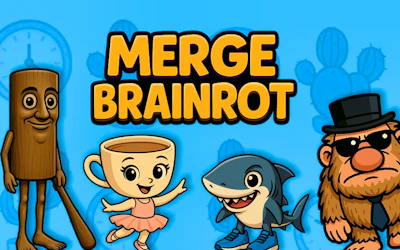
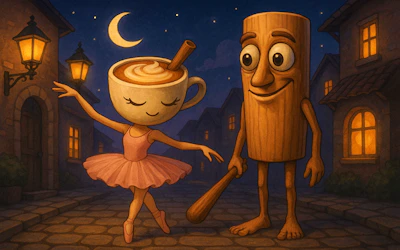
Merge Brainrot is a merging game based on internet memes. You drag, drop and combine characters from the Italian brainrot trend, discovering new ones and hearing chaotic audio as you go.
The description says it is easy to start and hard to master. The merging chain is the core of the game: two matching characters become a higher one. The data does not list how many characters there are or how the board is shaped.
It works on phones and supports any orientation. Fans of the meme will enjoy spotting the characters, while others can enjoy the merge puzzle. The chaotic audio and silly characters are the heart of the joke, so playing with sound on makes it more fun. Each merge opens the door to a new character, which gives you a small reason to keep going. Even if you do not know the memes, the merging logic is easy to follow, and the board gives you enough space to plan.
How to play Merge Brainrot
- Drag a character onto an identical one.
- Merge them to create a new, higher character.
- Keep going to discover more characters.
- Listen to the audio reactions.
Controls
- Computer
- Drag and drop with the mouse
- Phone or tablet
- Drag and drop with your finger
Tips for Merge Brainrot
- Try keeping similar characters close together.
- It helps to merge small ones early to save space.
- Plan which merge will give the best next result.
- Pay attention to the board so it does not fill up.
Who is Merge Brainrot for?
Meme fans who like merge puzzles.
Game description from GamePix
Unleash chaos with Marge Brainrot, where merging cursed Italian memes becomes your addictive mission. Drag, drop, and combine iconic memes like never before, unraveling hilariously chaotic audio surprises at every turn. Easy to start, impossible to master—will you conquer the ultimate Brainrot labyrinth? Dive into the madness!
Tags
Merge Brainrot: FAQ
Is Merge Brainrot free?
Yes. It is free in the browser, with no download and no sign-up.
Does it work on mobile?
Yes. It is marked mobile-friendly and works in any orientation.
How do I merge?
Drag matching characters together.
Is it hard?
It is described as easy to start but difficult to master.